When the internet goes down, Wi-Fi is slow, or a device won't connect, customers usually only see the symptom at first. They don't know whether the issue lies with the connection, the router, the home network, or the device itself, nor do they know what the next logical step should be.
Effective technical customer service therefore starts by providing clarity. It narrows down the situation, explains the next step, and ensures a smooth handover if personal assistance is required. Guided self-service can handle this task digitally for common issues and prepare the ground for technical support.
Self-service thus becomes a form of digital first aid. It provides active support in specific problem situations, runs automated checks, and translates the results into easy-to-understand action steps.
For internet service providers, this capability becomes more important with every new connection activated. Setup, Wi-Fi, device connectivity, and outages create recurring service moments that require a scalable service process.
Key takeaways
- Technical support cases often begin with an unspecified symptom
- Customers first need an assessment of the situation and a clear next step
- FAQs and knowledge bases are most helpful when the problem is already known
- Guided self-service combines automated checks with relevant action steps
- In the event of a handover, personal support should be able to build on information already collected
- Impact can be measured via completion rates, contact avoidance, handling time, and repeat contacts
Why do technical support contacts arise before troubleshooting even begins?
A technical problem rarely presents itself with a clear diagnosis. Customers experience a webpage failing to load, a video buffering, or a device staying offline. From this, they must first derive several questions:
- Does the problem affect the entire connection or just one device?
- Is the internet working in general, and is the Wi-Fi the cause?
- Is there a known network outage?
- Could a restart help, or would that cause important information to be lost?
- Is it necessary to call the internet service provider?
This assessment requires technical knowledge that can hardly be expected in everyday life. Without reliable guidance, the search begins in FAQs, forums, search engines, or various service channels. The effort involved thus begins even before the actual solution is found.
This has direct consequences for the service organization. During a call, employees must first reconstruct exactly what happened, which devices are affected, and which steps have already been tried. A portion of the processing time is spent on information that a digital process could have captured in a structured way beforehand.
Why are FAQs and knowledge bases often insufficient for technical problems?
FAQs, help articles, and knowledge bases are valuable when customers can name their issue. Anyone searching for "change Wi-Fi password" or "restart router" has already identified a specific task.
With an unspecific symptom, this foundation is missing. A search for "internet slow" can lead to instructions for routers, Wi-Fi, end devices, cabling, or network outages. Customers have to decide for themselves which explanation fits their situation.
Technical jargon can also interrupt the process. Terms like SSID, WPA2, ONT, or Mesh are common for support teams, but for many end customers, they are not a reliable starting point. The article What is the point of a self-service app if terms remain unclear? shows why contextual explanations can reduce media disruptions at this stage.
The problem, therefore, rarely lies in the amount of information available. It lies in the selection: which information is relevant for this situation right now?
Which form of digital assistance is suitable for which request?
Digital service offerings fulfill different tasks. It is therefore important for internet providers to clearly distinguish between knowledge transfer, dialogue, and diagnosis.
These forms are not mutually exclusive. A robust service process connects them in a way that ensures customers know what happens next at every stage.
How does guided troubleshooting work in technical customer service?
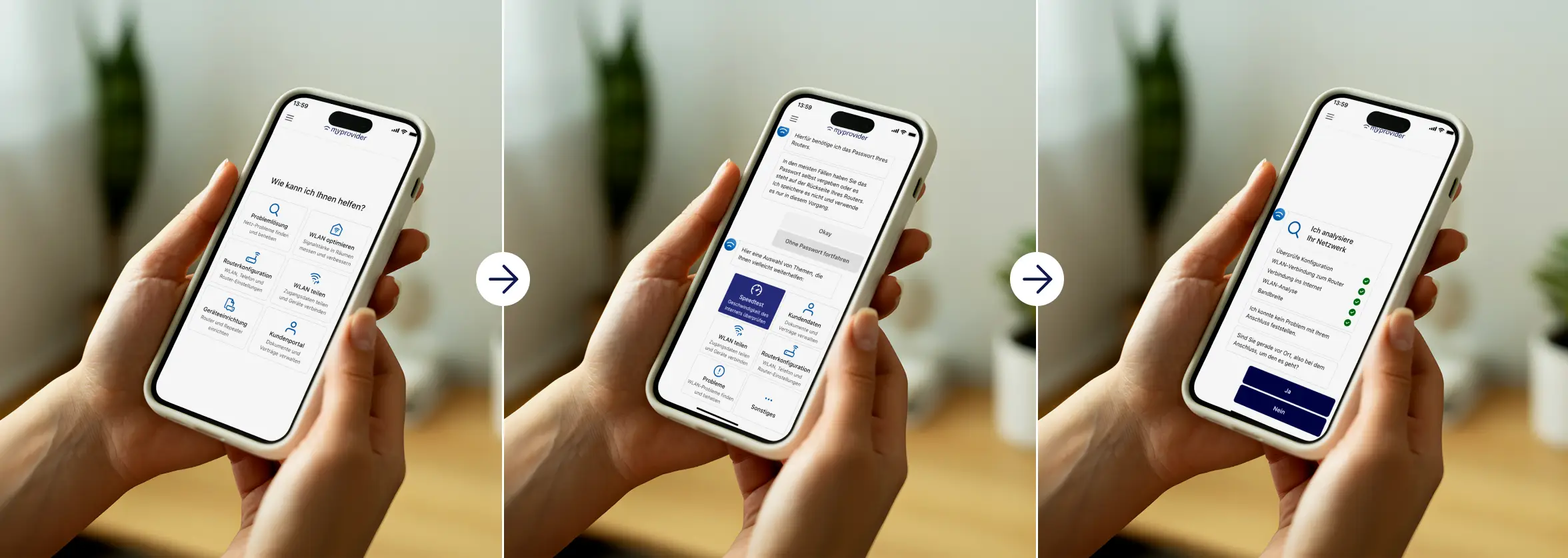
Guided troubleshooting—often referred to as guided assistance—leads customers through the resolution process based on their specific situation. It combines easy-to-understand questions, automated checks, and relevant recommendations into a logical, step-by-step workflow.
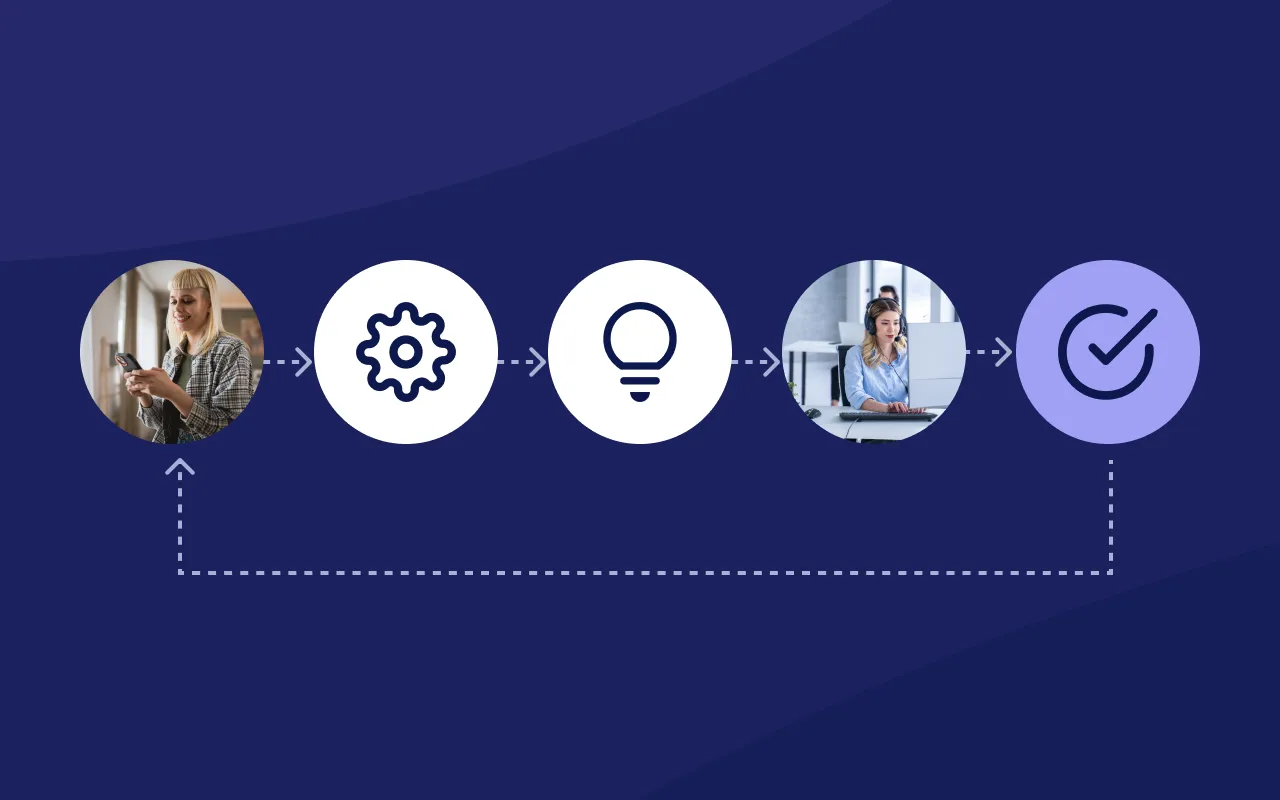
The process starts with the observed symptom and translates technical information into actionable steps. A simplified workflow consists of five phases:
- Identify the issue: Customers select a clear description such as "My Wi-Fi is slow" or "A device won't connect."
- Assess the situation: Available metrics and information from the connection, router, home network, or device narrow down the potential causes.
- Explain the next step: The process suggests an appropriate action and explains why it makes sense in this specific situation.
- Verify the result: A follow-up check determines whether the problem has been resolved or if further steps are required.
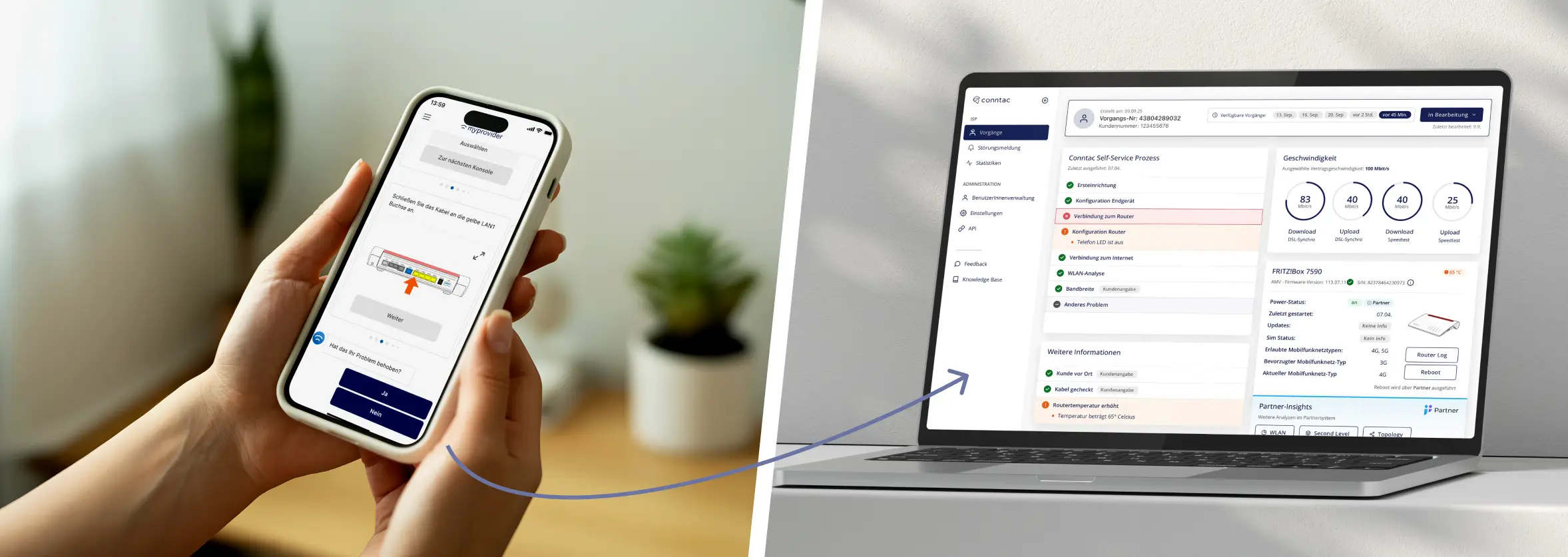
- Targeted escalation: If self-service is not enough, support receives the captured context and a record of the steps already taken.
Behind this simple workflow lies significant technical complexity. For customers, the result is what matters: they receive clear instructions without having to interpret metrics or network statuses themselves.
The process should also function under real-world outage conditions. In the event of an internet failure, offline-accessible help ensures that support doesn't cut out at the exact moment it is needed most.
What requirements must guided self-service meet?
A guided process only reduces customer effort if the content, technology, and handoff are perfectly aligned. Six requirements are particularly relevant for the design.
1. Start with symptoms
The process should begin with the customer's perspective. "Wi-Fi is slow" is a more helpful starting point than choosing between DNS, DHCP, or mesh.
2. Context-aware checks
Measurements and device data should refine the troubleshooting path. A check is only valuable if it leads to a clear, actionable result.
3. Small, verifiable steps
Each step should involve a specific task, followed by a confirmation of whether the situation has changed.
4. Contextual explanations
Technical terms, device names, and required inputs should be explained directly within each step to keep customers engaged in the process.
5. Clear boundaries
Self-service must recognize when an independent solution is not practical or possible. A transparent transition to personal support prevents unnecessary repetition and dead ends.
6. Handoff with context
Support agents should be able to see which symptom was reported, what was checked, and which measures have already been taken. This ensures customers don't have to explain their situation all over again.
The article Why self-service often fails explores why great features often fail to gain sufficient traction without clear process guidance.
How does guidance improve personal technical customer support?
Guided self-service is not about resolving every case digitally. Its value is also evident when personal contact remains necessary. Without pre-qualification, conversations often start with basic questions. With a structured handoff, agents can pick up exactly where the customer left off. This improves the starting point for both sides:
- Customers do not have to repeat steps they have already completed
- Support agents receive a clearer picture of the issue
- Standard checks can be completed before the conversation begins
- Escalations can be passed on with a clear, traceable context
- complex issues reach the right support level faster
This turns self-service into an integral part of the entire support process. Quality is created at the transitions between digital assistance, personal service, and downstream teams. The article Best effort in customer serviceexplains why clear workflows are also essential in personal customer service.
How can internet service providers measure impact?
A high number of started self-service processes says little about their quality. What matters is what happens after the start and how personal support changes as a result.
These metrics should be viewed in combination. For example, a low handoff rate is not a sign of quality if customers abandon the process beforehand. Likewise, a targeted handoff can be beneficial if it reduces handling time and prevents repeat contacts.
A phase-specific analysis is particularly worthwhile immediately after a new connection is activated. The article Internet connection activated: Why the first few days determine support costs and customer retention shows which key metrics are relevant during this early usage phase.
What questions should internet service providers clarify before implementation?
Before introducing or further developing a guided self-service process, internet service providers should examine the most frequent inquiries and existing data sources:
- Which symptoms cause the most contacts and repeat contacts?
- Which cases can be reliably narrowed down using available data?
- Which steps do service agents currently perform as standard?
- Where do existing digital processes break off?
- Which content needs to vary for router models, connection technologies, or target groups?
- What information does support require during a handover?
- Which key metrics collectively represent resolution, effort, and customer experience?
A sensible starting point is a few frequent processes with a clear diagnosis and measurable result. From their usage, content, checks, and handovers can be improved step by step.
Frequently asked questions about technical customer service
What is meant by technical customer service?
Technical customer service assists customers in identifying, narrowing down, and resolving technical issues. This includes digital self-service offerings, personal support, and the structured handover between both areas.
Why do support contacts occur even when there is no network outage?
Customers usually only notice a symptom at first. A local Wi-Fi or device issue can therefore seem like an internet connection outage. If there is no simple way to diagnose the problem, customer service becomes the first point of contact.
What is the difference between FAQs and guided self-service?
An FAQ provides an answer to a known question. Guided self-service starts with a symptom, assesses the situation, and selects the next appropriate step based on that assessment.
What does guided assistance mean?
Guided assistance is situational, step-by-step support. In technical customer service, it combines easy-to-understand questions, automated checks, and concrete recommendations into a guided resolution process.
Can self-service replace personal support?
Self-service can independently resolve frequent and clearly structured issues. Complex, individual, or technically ambiguous cases still require personal support. It is important to have a handoff process where previously collected information is preserved.
How can technical support contacts be reduced?
Internet providers can reduce avoidable contacts by identifying typical symptoms early, automating relevant checks, and guiding customers through concrete steps. A simple collection of help articles is often insufficient for unclear technical problems.
Which technical issues are suitable for guided self-service?
The most suitable issues are recurring processes such as initial router setup, connection testing, Wi-Fi optimization, device connectivity, and preparing a fault report. The prerequisite is that the workflow can be clearly described, technically verified, and securely handed off if necessary.
Which KPIs are important in self-service?
Important metrics include completion and resolution rates, drop-off rates per process step, handoff rates, repeat contacts, handling time after handoff, first contact resolution, and customer effort score.
Conclusion: Technical customer service begins with a clear next step
When facing a technical issue, customers first need a reliable assessment of the situation. Only then can they choose the right instructions, perform a step safely, or recognize that personal assistance is required.
For internet service providers, this creates a clear mandate: digital assistance should start from the observed symptom, translate technical information into plain language, and define the path forward. Guided self-service can resolve common issues independently and prepare more complex cases so that support teams can continue working with the existing context.
The quality of technical customer service is therefore reflected in the entire resolution journey—from the initial symptom to the final solution or a targeted handoff.
How troubleshooting in MyProvider helps
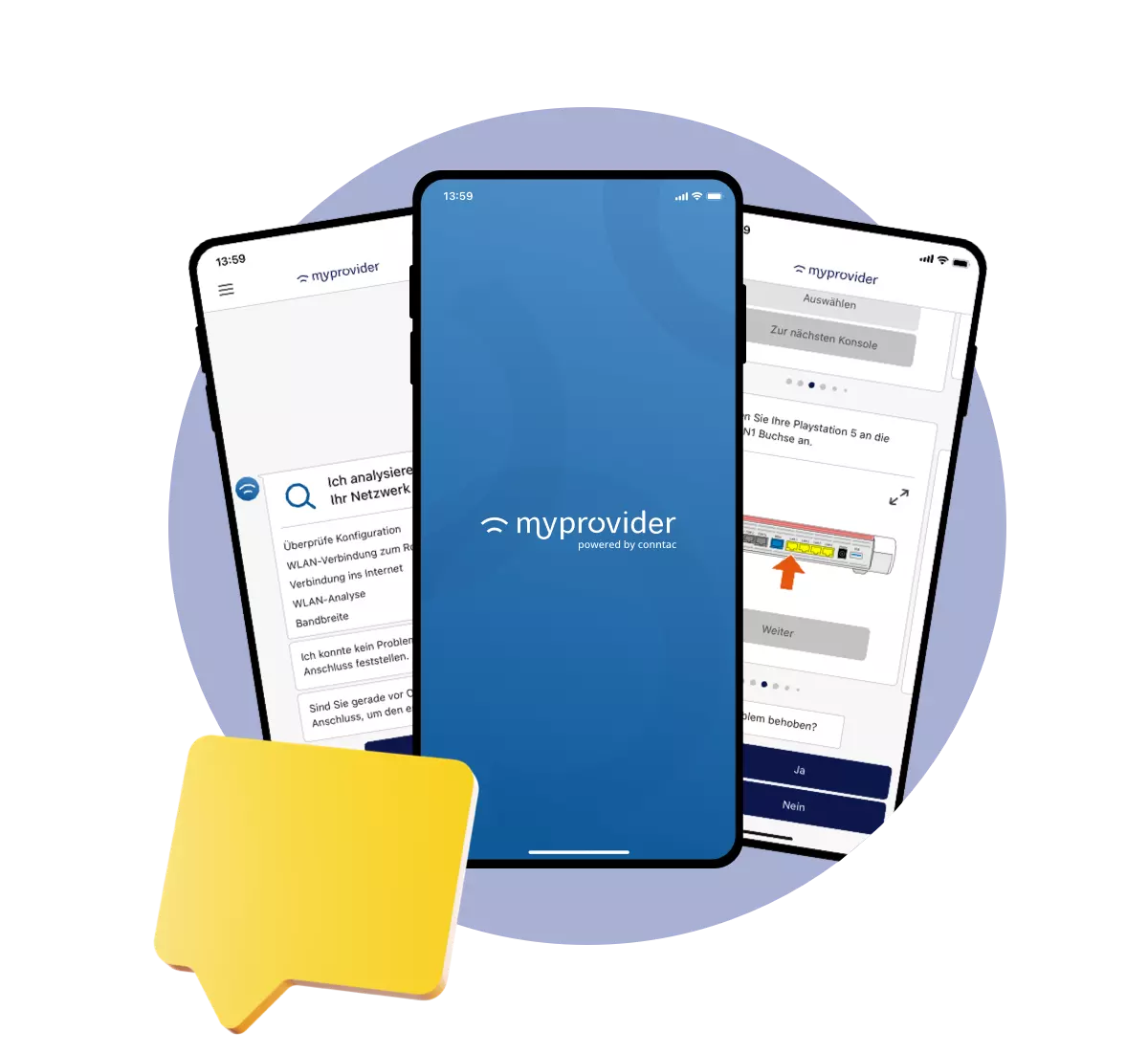
The troubleshooting feature in MyProvider supports customers directly within the app to narrow down, better understand, and resolve technical issues step by step. Automated checks capture the current situation. Interactive guides and concrete recommendations then lead the user through the appropriate resolution path.
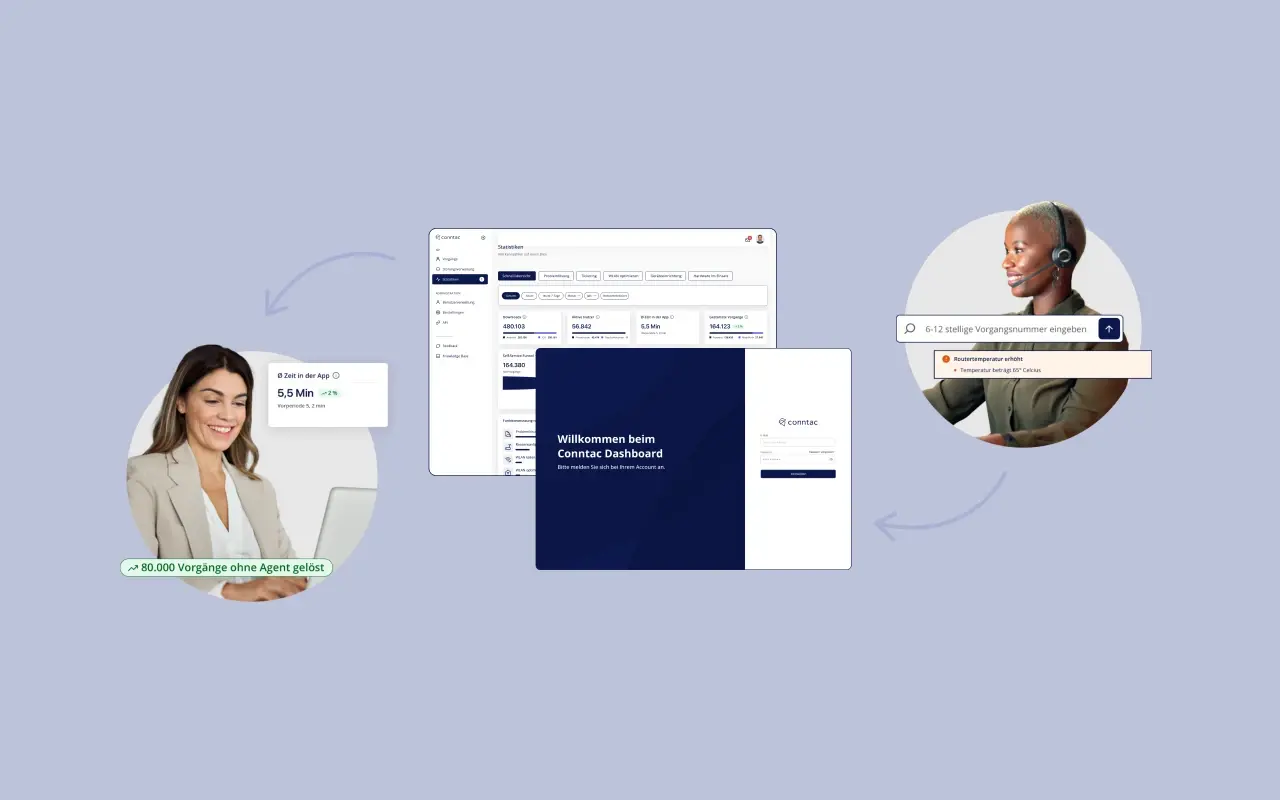
Support can also be available offline. If a problem cannot be solved independently, relevant information can be transmitted to the Conntac Dashboard for further processing. This turns initial digital assistance into a seamless support process.
Discover troubleshooting
Schedule a personal demo