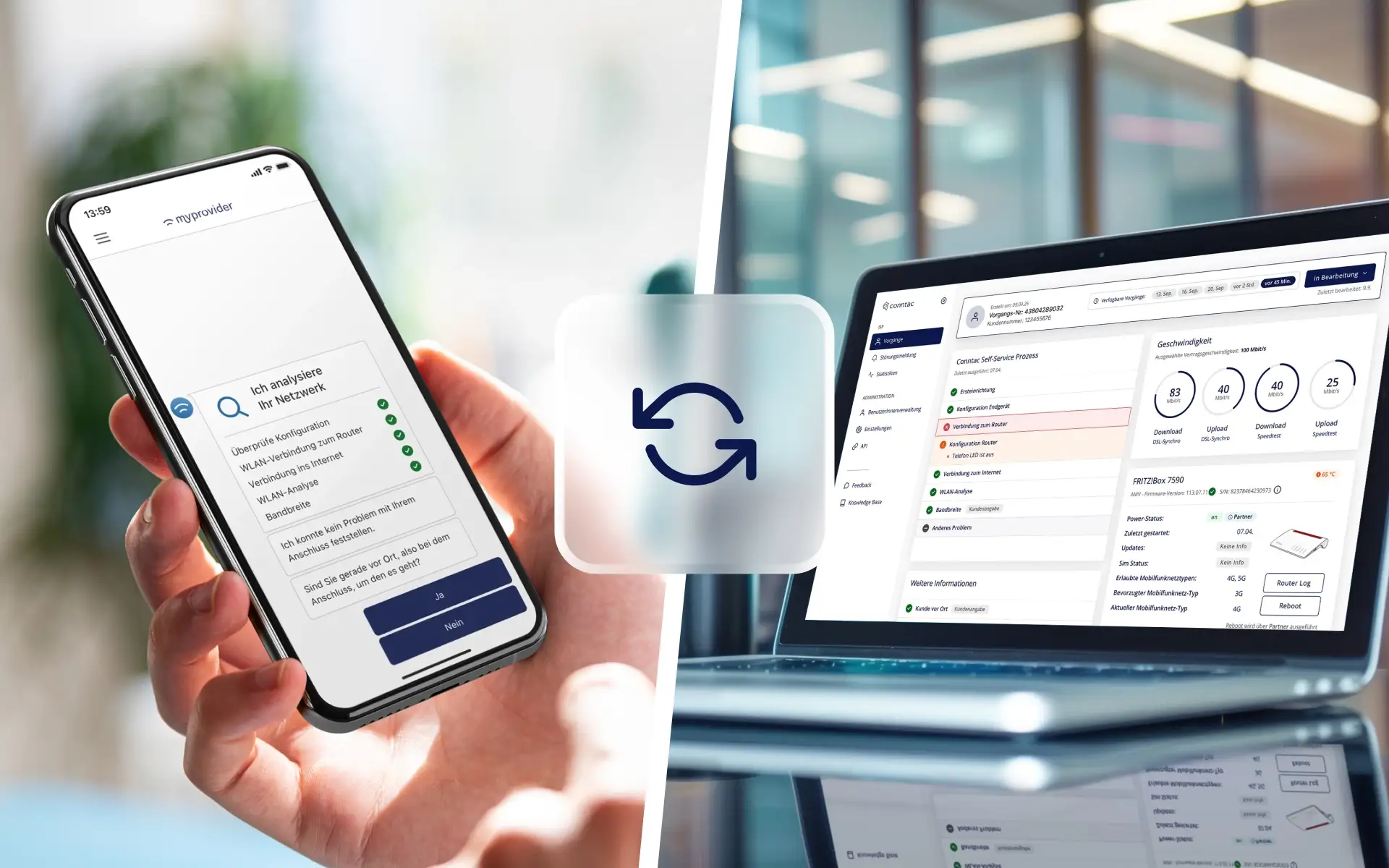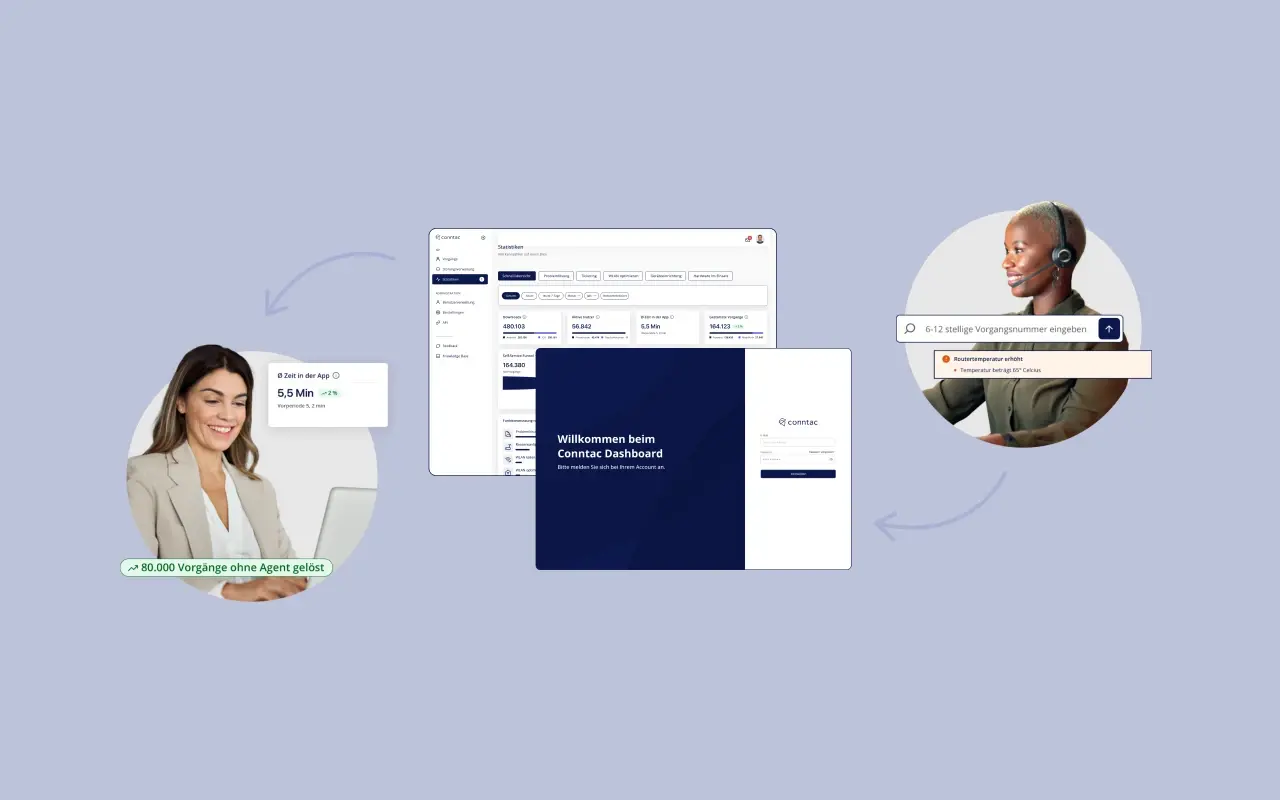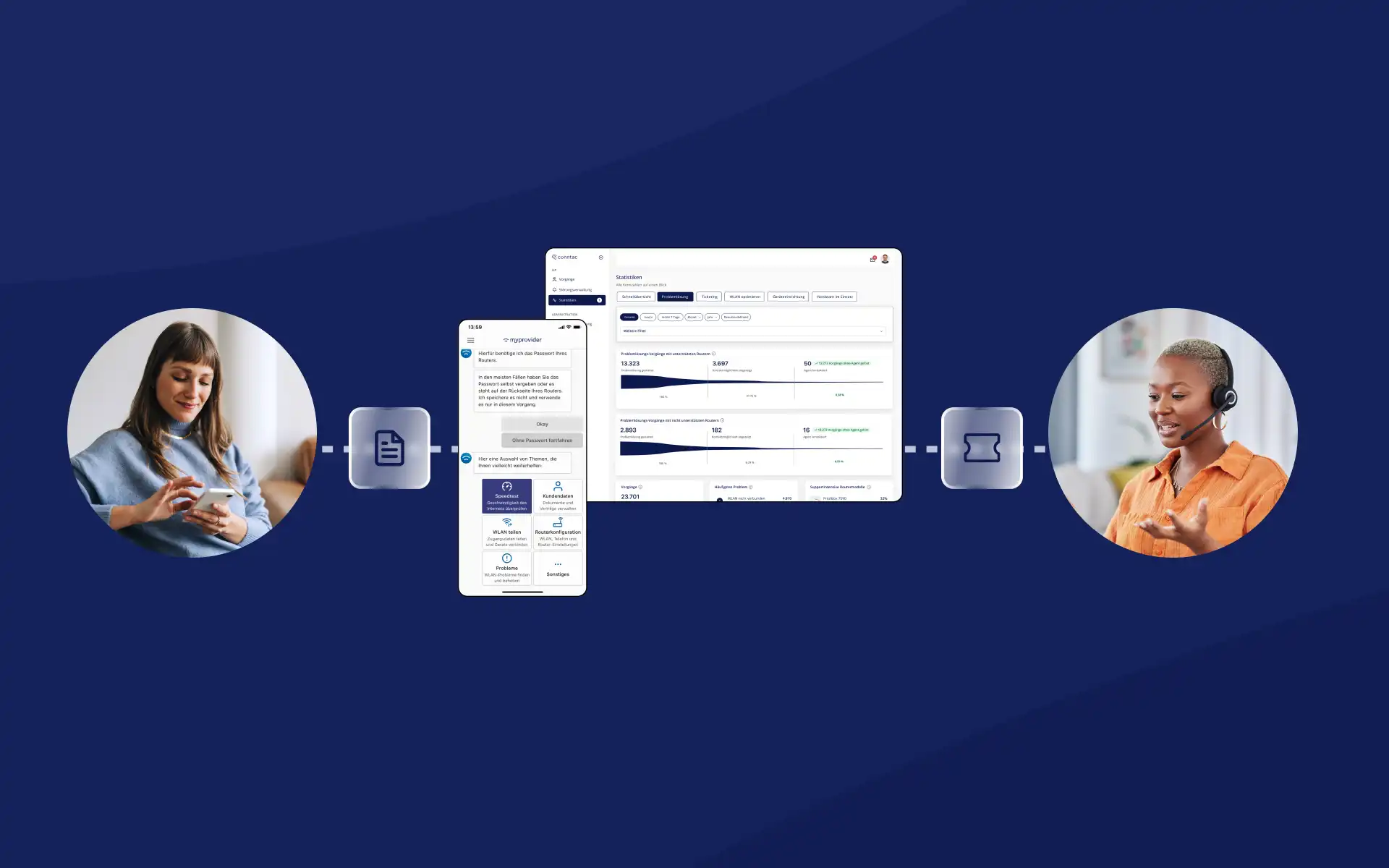
Illustration of an integrated support process using self-service, CRM, and ticketing
Blog

How internet service providers can make support processes controllable: self-service, CRM, and ticketing

29.09.2026

Internet service providers usually already have multiple systems for customer service and technical operations. Customer data is stored in the CRM, open issues are handled in the ticketing system, and technical information comes from other platforms. Simply adding a self-service solution does not automatically create a seamless support process.

‍

The key is determining the role of each system and how information is passed between them. Self-service can resolve common issues, perform technical checks, and prepare unresolved cases. CRM and ticketing systems then assign these cases to the correct customer account, status, and workflow. The support team needs a clear, unified foundation to work from.

‍

For internet service providers, integration comes down to one specific question: How do you get the right information to the right place at the right time?

‍

At a glance

  • Self-service, CRM, and ticketing each fulfill distinct roles within the support process.
  • A self-service solution must complement existing systems and make relevant information accessible.
  • Structured pre-qualification helps categorize, route, and resolve inquiries more effectively.
  • A reference number keeps customer inquiries and process information linked across multiple systems.
  • The required scope of integration depends on the specific use case.
  • A clearly defined process serves as an ideal starting point for step-by-step integration.
  • During periods of high volume, structured information helps with prioritization, routing, and resolution.

‍

Table of contents

  1. Why self-service must fit into existing support processes
  2. Which systems work together in ISP support
  3. How a request becomes a manageable process
  4. Which information is relevant for pre-qualification
  5. How CRM and ticketing benefit from existing context
  6. Why integration can be done in stages
  7. How to keep support manageable during high volumes
  8. How to measure process quality
  9. How MyProvider complements existing system landscapes
  10. Frequently asked questions about self-service, CRM, and ticketing
  11. Conclusion

‍

Why self-service must fit into existing support processes

A self-service solution is part of an existing service organization. Customers use it for tasks such as router setup, connection checks, Wi-Fi optimization, or reporting an issue. Some requests can be resolved entirely within the digital process, while others require personal attention or information from additional systems.

‍

At this point, integration into the existing support process determines the operational value. If the app, CRM, and ticketing system remain siloed, parallel processes are created. The support team might see that a request has come in, but they won't know the history or the results of any technical checks already performed.

‍

Typical consequences include:

  • repeated questions about information already provided
  • redundant technical checks
  • manual data entry
  • unclear responsibilities
  • handoffs between multiple teams
  • lack of transparency regarding processing status
  • additional effort for customers and employees

‍

A digital contact channel alone does not make a process manageable. That requires a shared logic for information, responsibilities, and status.

‍

For a practical look at how to manage the transition from self-service to personal support, read the article “Connecting Self-Service and Customer Service: How to Master the Handoff in Technical Support”.

‍

Which systems work together in ISP support

An end-to-end service architecture does not mean consolidating all data into a single system. Each system involved has its own specific role.

Component Role in the support process Typical information
Self-service app Guides customers through checks, instructions and troubleshooting steps Issue, answers, test results and completed steps
Service dashboard Makes digital processes and their usage visible to service teams and management Process history, technical information and statistics
CRM Provides the customer and contract context Customer data, contract, tariff, connection and contact history
Ticketing system Manages the operational handling of support cases Status, priority, responsibility, deadlines and documentation
ACS and technical systems Provide technical information about the connection or device Availability, configuration, device status and technical events
Support team Assesses the case and initiates the next step Diagnosis, decision, follow-up question, resolution or escalation

The specific systems involved vary by provider. Some companies use CRM and ticketing within a single platform. Others work with multiple specialized solutions or legacy system landscapes.

‍

A clear division of labor is essential: Self-service structures the interaction with the customer. The CRM provides customer context. The ticketing system organizes the workflow. Technical systems provide the data required for the specific case. The support team synthesizes this information to reach a resolution.
Whitepaper

Automated Customer Service – Opportunities and Risks

There are many ways to use new technologies in customer service. Learn how you can use automated technologies in your company.

Automated customer service — opportunities and risks white paper

How to turn an inquiry into a manageable process

A manageable support process can be broken down into five steps.

‍

1. Capture the request

The process begins with a specific observation from the customer. This could be a lost internet connection, unstable Wi-Fi, a problem with router setup, or a known network outage. A general description like "the internet isn't working" is usually not enough for further processing. Self-service can clarify the situation by asking targeted questions about when the problem started, which devices are affected, and under what circumstances it occurs.

‍

2. Verify and narrow down the request

Next, the digital process performs appropriate checks and troubleshooting steps. Depending on the use case, this may include a connection check, a router test, a speed test, or a Wi-Fi measurement. The result can be a direct solution, clear information, or the identification of a potential cause. Even an unresolved request gains structure through this process.

‍

3. Consolidate relevant context

If personal assistance is still required, the relevant information is compiled into a single case. This includes the identified error pattern, key test results, steps already taken, and the reason for the escalation. A case or ticket number ensures that the information remains linked to the same issue and also facilitates communication with the customer.

‍

4. Hand over the case to the existing process

The case is routed to the appropriate team via the defined contact or ticketing process. The CRM and ticketing system add customer context, ownership, priority, and status. This provides the support team with a prepared foundation for their work. Which information is transferred directly or provided via a dashboard depends on the specific system architecture.

‍

5. Document and evaluate the result

After the case is resolved, it should be clear how the issue was handled. Recurring reasons for escalation provide clues on where self-service can be improved. For example, if many cases pile up after the same failed router test, it may be useful to provide additional instructions, a clearer explanation, or an extra automated check. In this way, processing data becomes the basis for process optimization.

‍

Ein steuerbarer Supportprozess lässt sich in fünf Schritte gliedern.

‍

Which information is relevant for pre-qualification

Pre-qualification means that a request is systematically captured and categorized before personal handling. The goal is a concise summary that allows the support team to continue working on the case immediately.

‍

The information required depends on the specific process. For a technical support case, the following areas of information may be relevant:

Information category Examples Purpose
Customer context Customer number, connection type, tariff and activation status Assignment to the correct customer account and contract
Issue Problem description, affected devices, time and usage situation Classification of the specific problem
Technical status Router model, availability, connection status and measurements Identification of possible causes
Process history Questions asked, answers and completed steps Prevention of unnecessary repetition
Handover reason Technical limitation, missing authorisation or unresolved finding Explanation of why further support is required
Case data Case number, timestamp, priority and contact channel Routing and tracking

More data does not automatically improve a support case. What matters is its relevance to the next stage of processing. A clear summary of the findings is usually more helpful to staff than an unfiltered collection of raw technical data.

‍

Data protection, purpose limitation, and access permissions must also be considered during the design phase. Teams should only have access to the information they need for their specific tasks.

‍

How CRM and ticketing benefit from existing context

CRM and ticketing systems are often viewed together in day-to-day operations, but they serve different functions.

‍

The CRM provides customer context

The CRM primarily answers the question of who a request belongs to. It is where contract data, connection information, and previous contacts converge. This context helps support staff correctly categorize the case. For a technical diagnosis, CRM data alone is often insufficient. Only by combining it with the current error profile and the results of self-service can you see what has already been checked in a specific case.

‍

The ticketing system manages the workflow

The ticketing system answers the question of how a request is to be processed. It tracks elements such as status, priority, the responsible team, deadlines, and internal notes.

‍

The quality of a ticket depends significantly on its content. A ticket stating "Internet not working" requires further follow-up questions. A pre-qualified request can already show:

  • what the problem is
  • which components are affected
  • which checks have been performed
  • what the results are
  • which measures have already been taken
  • why further processing is necessary

This allows the ticketing system to better fulfill its primary purpose: routing the request to the appropriate workflow.

‍

The ticketing function is a potential hand-off point for issues that cannot be fully resolved via self-service.

‍

The dashboard provides an operational overview

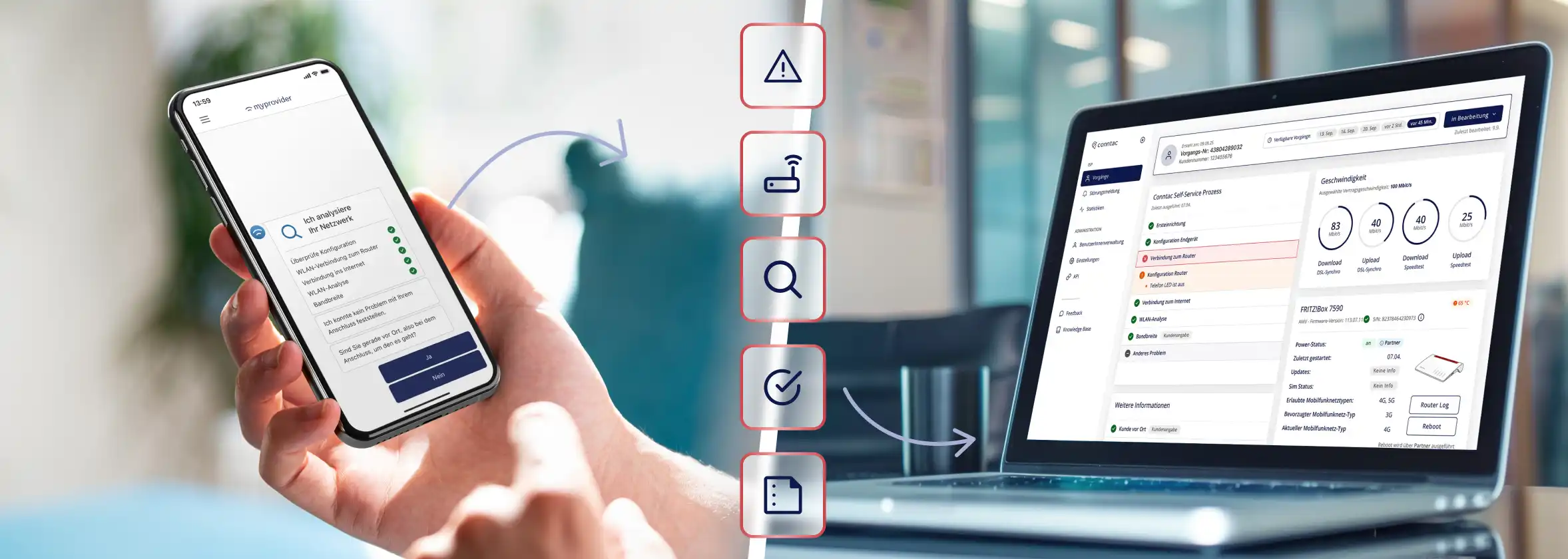
A service dashboard can visualize the processes completed within the app and display relevant technical information. This gives service agents an additional perspective on the process history.

‍

For management, aggregated reports are key: Which processes are used most frequently? Where do customer contacts originate? Which issues occur repeatedly? The Conntac dashboard thus supports both the handling of individual cases and the analysis of self-service usage.

‍

Why integration can be implemented in stages

The term system integration often creates the expectation of a massive IT project. However, the actual effort depends on which information needs to be exchanged between which systems.

‍

Distinguishing by depth of integration helps with planning.

‍

Level 1: Defined contact path

Self-service directs customers to a suitable contact channel after a predetermined exit point. Information is not yet fully transferred to another system.

‍

This option is easy to implement but provides support with limited context.

‍

Level 2: Structured handover

Self-service summarizes inquiries, verification results, and previous steps. Information is transferred, for example, as a structured ticket or to an existing CRM or email application.

‍

The benefit lies in a uniform data structure and clear assignment to the specific case.

‍

Level 3: System-supported assignment and processing

Relevant information is assigned to the appropriate customer accounts and processes via defined interfaces. Status, priority, and responsibility can be managed within the existing support logic.

‍

This requires clearly defined data fields, identifiers, permissions, and error scenarios.

‍

Level 4: Feedback to the digital channel

Additionally, the processing status can be sent back to the app or a customer portal. Customers can then see, for example, that their request has been received or is being processed.

‍

Whether this level of development is necessary depends on the use case. A status display can reduce follow-up inquiries, but it also increases the requirements for synchronization and data maintenance.

‍

A sensible starting point therefore begins with a clearly defined process. A common use case such as router setup, connection issues, or fault reporting is better suited than attempting to connect all service processes and systems at once.

‍

Before technical implementation, five questions should be answered:

  1. Which process should be improved?
  2. What information does the responsible team need?
  3. In which system will the follow-up processing take place?
  4. How are customer accounts and cases uniquely identified?
  5. What feedback do customers need after the handover?

Only then can you decide what level of integration is required.

‍

How to keep support manageable during high demand

Under normal conditions, missing information can sometimes be compensated for by asking follow-up questions or performing manual research. During network outages, activation days, or large-scale router replacements, this approach quickly reaches its limits.

‍

Structured processes help in several ways during high demand:

  • Self-service answers recurring questions and guides users through standardizable checks.
  • Known issues can be communicated early on.
  • Unresolved requests reach support with a defined minimum level of context.
  • Cases can be sorted by error type, urgency, or responsibility.
  • Similar cases become easier to identify in the reports.
  • Employees spend less time re-collecting basic information.

Controllability is thus achieved through two effects: some requests are resolved digitally, while the remaining cases reach support in a more manageable format.

‍

Learn how internet providers can manage planned and unplanned traffic spikes in our expertise on Peak Management.

‍

How to measure process quality

The number of tickets created does not indicate whether the interaction between self-service, CRM, and ticketing is working. A combination of digital, operational, and qualitative metrics is more meaningful.

Metric Guiding question
Digital resolution rate How many initiated requests are completed within self-service?
Handover rate How many cases require further handling by a support agent?
Context completeness Are all mandatory pieces of information defined for the process available?
Incorrect routing rate How often is a case initially assigned to the wrong team?
Handling time after handover How long does the support team need to process a pre-qualified case?
First Contact Resolution How many handed-over cases are resolved during the first personal contact?
Repetition rate How often must questions or checks from the self-service process be repeated?
Repeat contact rate How often do customers contact support again about the same issue?
Status contact rate How often do customers contact support to ask about the current status?

Metrics should be evaluated separately by request type and process. A complex Wi-Fi issue can hardly be compared meaningfully with a simple service outage notification.

‍

Interpreting individual values also requires context. A short handling time is not very informative if it leads to many repeat contacts. A low transfer rate can be positive, but it may also indicate early process abandonment.

‍

The First Contact Resolution helps to evaluate resolution at the first point of contact. For economic assessment, contact volume, handling effort, and cost per support case are also relevant.

‍

How MyProvider complements existing system landscapes

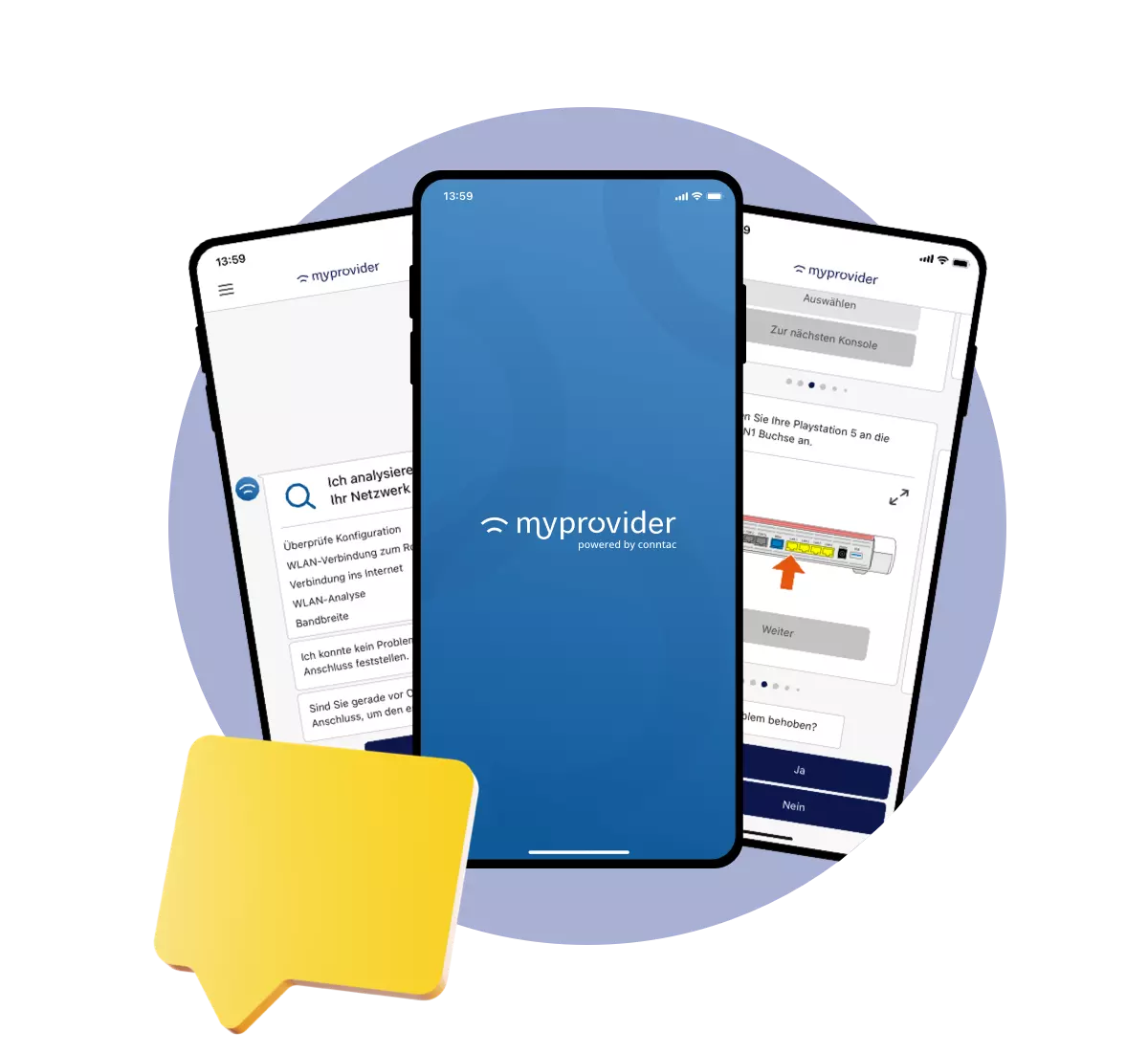
MyProvider connects a self-service app for customers with the Conntac dashboard for service and management. Guided processes provide support for tasks such as setup, troubleshooting, Wi-Fi optimization, and outage notifications.

‍

If personal handling is still required, relevant information from the process to date can be provided to support. Requests can be integrated into existing workflows via defined contact and ticketing processes. The dashboard makes digital operations and evaluations visible to the service organization.

‍

What this integration looks like in practice depends on the existing systems, the chosen use case, and the agreed technical implementation. CRM, ticketing systems, or ACS are not simply replaced across the board. The goal is a clear division of tasks, where self-service prepares and complements existing support processes.

‍

Frequently asked questions about self-service, CRM, and ticketing

How can self-service be integrated into an existing CRM?

First, it must be determined which information the CRM requires for the respective use case. This can include customer identification, the nature of the request, verification results, and a case number. The technical implementation depends on the available interfaces and the desired depth of integration.

‍

Does a self-service solution replace the existing ticketing system?

As a rule, the ticketing system continues to manage open cases. Self-service can resolve requests digitally or prepare unresolved cases in a structured manner for the ticketing system.

‍

What role does the case number play?

The case number connects customer information, the digital process, and subsequent handling. It enables clear identification and helps keep information consistent across multiple contact points.

‍

What data should self-service pass on to support?

The most important requirements are the specific request, relevant verification results, steps already taken, and the reason for the handover. Depending on the process, this may also include customer, contract, device, or connection data.

‍

Does the entire system landscape have to be rebuilt for self-service?

The scope depends on the use case. A step-by-step approach is often sensible: a clearly defined process is first established from a business perspective and then connected to the data and systems actually required.

‍

Which processes are suitable for getting started?

Frequent and clearly definable requests are ideal, such as router setup, connection testing, Wi-Fi optimization, or outage information. For these processes, the necessary information, verification steps, and handover points can be defined with relative clarity.

‍

How do support teams benefit from structured pre-qualification?

Employees gain a better foundation for categorizing cases. This reduces the need for basic questions, repetitive checks, and manual research. The actual impact should be measured through processing time, repeat contacts, misrouting, and resolution rates.

‍

Conclusion: Controllable service requires clear system roles

Self-service, CRM, and ticketing form a unified support process when tasks and information flows are clearly defined. Self-service guides customers, performs checks, and structures the request. The CRM provides customer context. The ticketing system organizes responsibility, status, and further processing. The dashboard creates transparency regarding digital operations and their usage.

‍

For internet service providers, the decisive step comes before technical integration: first, the specific use case, the required information, and the subsequent processing path must be established. This determines which systems are involved and which interfaces are actually needed.

‍

A step-by-step approach reduces complexity. At the same time, it creates a solid foundation for integrating further processes in a targeted manner later on.

‍

Embedding self-service into existing support processes

Learn how MyProvider complements existing support systems and better prepares inquiries.

Schedule your personal demo now

‍

Johanna Kugler

Content Marketing Manager

Other ARticles

Handing off a technical self-service case to personal customer support
28.08.2026
Neu

Combining self-service and customer support: How to master the handoff in technical support

A self-service process does not always end in a solution. If personal support is still required, the quality of the handoff determines whether the previous progress is useful or if the process has to start all over again.

Zum Blogbeitrag
Technical customer support for an internet provider with guided self-service
21.08.2026
Neu

Technical customer support for internet providers: What really helps customers

Technical issues often turn into support tickets because customers cannot identify the root cause. Guided self-service provides clarity and leads them to a solution step by step.

Zum Blogbeitrag
New Conntac Dashboard for technical customer service
19.08.2026
Neu

The new Conntac Dashboard: Greater clarity for technical service

The new Conntac Dashboard consolidates statistics, knowledge, notifications, and user management into a modernized interface, providing greater clarity for technical service.

Zum Blogbeitrag
A mobile phone in one hand
04.05.2023

Are service apps sustainable?

Service apps don’t save the world – sure – but they give companies the opportunity to support their customers faster and more efficiently. But are service apps sustainable? Can this technology help reduce the environmental impact of businesses?

Zum Blogbeitrag
An agent sits in the customer service centre with her hands in front of her face
11.04.2023

Monday Peak in Customer Service

Mondays are an unpopular day for many people. The weekend is over, the working week begins and the alarm clock rings far too early. However, Mondays can become a challenge not only for employees, but also for companies – especially in customer service.

Zum Blogbeitrag
Illustration of an integrated support process using self-service, CRM, and ticketing
29.09.2026
Neu

How internet service providers can make support processes controllable: self-service, CRM, and ticketing

How can you integrate self-service, CRM, and ticketing? This article shows how internet service providers can pre-qualify inquiries and streamline support processes.

Zum Blogbeitrag

Practical insights into service processes, self-service, and field service.

Subscribe to our LinkedIn newsletter The Conntac Chronicles to receive relevant insights and perspectives on current topics and challenges in the field of modern service solutions.

A woman high fiving another person