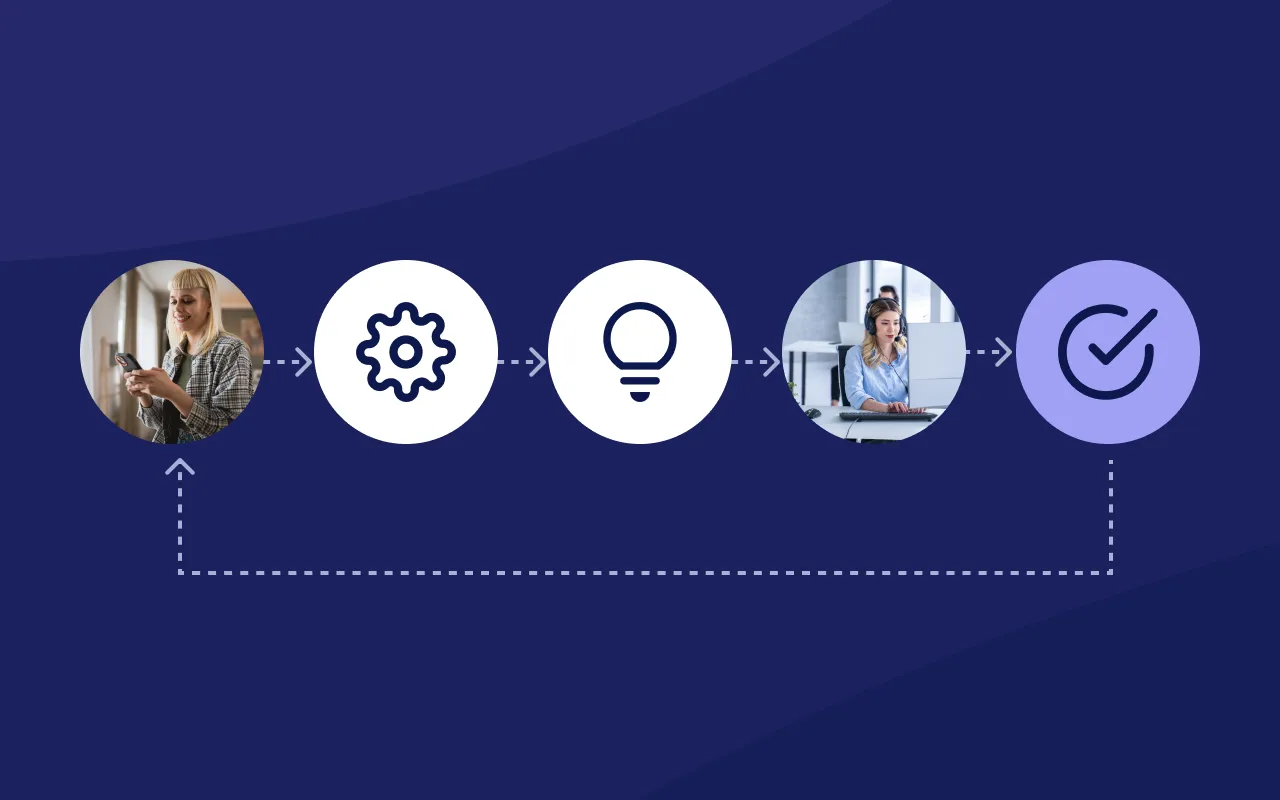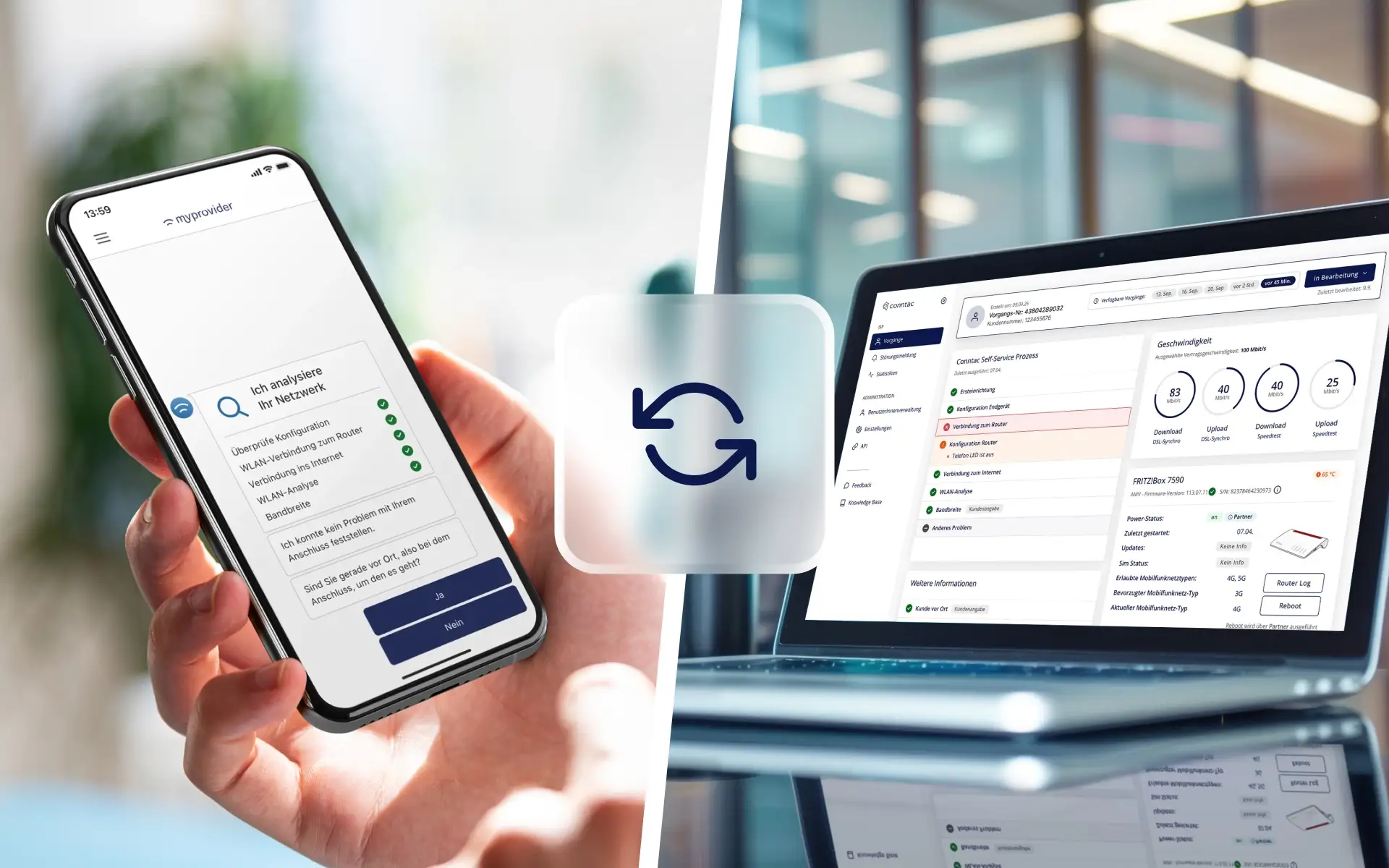
A self-service process can narrow down a technical issue, capture diagnostic data, and perform initial troubleshooting steps. If the problem persists, customers need personal support. This is exactly where the integration between self-service and customer support is put to the test. If the support team receives the full history, they can pick up right where the customer left off. If symptoms, test results, or completed steps are missing, the process starts from scratch. Customers have to repeat their information, agents perform the same checks, and the time saved by the digital process is lost. For internet service providers, the handoff is therefore a service process in its own right. It requires defined exit points, a reliable data flow, and clear ownership for further processing.
At a glance
- A good handoff continues the previous resolution process within personal support
- In addition to master data, support needs the symptoms, technical results, and steps already taken
- Before the handoff, customers should know why personal support is necessary and what the next steps are
- CRM and ticketing systems organize the workflow but require structured context from self-service to do so
- Completeness, repeat contacts, handling time, and first-contact resolution rate make handoff quality measurable
- Common technical processes with clear checks and defined escalation points are particularly well-suited for this
Contents
- Why the handoff determines service quality
- Where information gets lost between self-service and customer support
- What information the support team needs
- What should happen before, during, and after the handoff
- The role of CRM, ticketing systems, and technical data
- What a handover looks like in the event of a Wi-Fi issue
- How to measure the quality of a handover
- Checklist for an end-to-end service process
- Conclusion
Why does the handover determine service quality?
A handover is successful when personal support can build upon the digital process. Resolution begins exactly where self-service reaches its functional or technical limits. In practice, self-service is often evaluated primarily by the number of cases resolved digitally. This perspective is too narrow. Even a process that is not fully resolved can provide significant value if it reliably pre-qualifies the customer's request.
Automated checks, clear follow-up questions, and documented results create a better foundation for subsequent contact. A poor handover negates this advantage. This is evident in a typical scenario: A customer performs a connection test, restarts the router, and measures Wi-Fi quality. Afterward, she calls the hotline. However, neither the measurements nor the previous steps are visible to the agent. The agent asks again about the router, the device, and whether a restart was performed. In retrospect, the customer perceives the digital process as an additional burden.
Where is information lost between self-service and customer service?
Information loss occurs primarily when digital and personal channels maintain separate records. Self-service is aware of the troubleshooting steps taken so far, while the hotline, CRM, or ticketing system merely record a new contact. Typical points of failure include:
- The self-service portal only provides a general phone number or email address at the end
- A ticket contains a free-text problem description but no technical results
- Measurement results exist but cannot be linked to a specific customer account or case
- Steps already taken are not documented or are not transferred
- The case reaches a team that is not responsible for the identified issue
- Customers do not receive a case number or information on the next steps
- Status changes in support are not fed back to the digital channel
The consequences affect both sides. Customers have to repeat information and find it difficult to gauge whether the process so far has been taken into account. Support staff invest time in basic questions, switching systems, and repeating standard checks. In the event of further escalation, the same loss can repeat within the service organization. An additional contact channel alone does not create a functioning transition. What is decisive is which information is handed over, how it is assigned, and who takes the next step.
What information does the support team need?
The support team needs enough context to identify the open issue and continue processing it. A complete handover includes information related to the subject matter, technical aspects, and the process. Which data is actually required depends on the request and the existing systems.
The amount of data should be based on the specific purpose. A long collection of raw technical data is of little help if staff have to search for the relevant findings first. A prioritized presentation is useful: observed symptom, most important test result, measures taken so far, and recommended next step. Data protection and permissions are also part of process design. Technical data may only be processed and displayed to the extent necessary for the respective purpose. Roles and access rights should determine which teams can view and edit which information.
What should happen before, during, and after the handover?
A seamless handover consists of three coordinated phases. Each phase has its own task: preparing the case, transferring it securely, and continuing work in a traceable manner.
Before the handover
The self-service should first check whether a further digital solution step makes sense. If personal support is required, the process summarizes the history so far and explains the reason for the handover. Before the switch, the following points should be clarified:
- What is the specific request?
- What checks have been carried out?
- Which results are relevant for support?
- What measures have customers already taken?
- Why can the digital process not continue at this point?
- Which channel and team are the right fit for the case?
Customers also need clear guidance. They should know what information is being shared, which contact channel they will be using, and what the next steps will be.
During the handover
During the handover, the case and its context must remain clearly linked. To ensure this, the process requires a reliable identifier, such as a case or ticket number. Information should be transferred into the receiving system in a structured format and assigned to the correct customer account. A high-quality handover record answers four questions at a glance:
- What is the customer reporting?
- What has the digital process identified?
- What has already been attempted?
- What should the personal support team check or decide next?
The handover should also select an appropriate incoming channel. A time-critical outage may require direct contact, while a question about a setup might be handled asynchronously via a ticket. The channel should be determined by the urgency and complexity of the case.
After the handover
After the handover, the responsible support team takes over the process with the existing context. Staff members review the summary, add new findings, and document the solution. If the case needs to be forwarded, the next department should also have access to the same history. The process only concludes with a clear, traceable outcome. This includes a solution, a justified escalation, or clear feedback on how to proceed. If the status is also visible in the customer portal or app, customers can track the process without needing to reach out again for a status update.
What roles do the CRM, ticketing system, and technical data play?
The CRM, ticketing system, and technical data each serve different purposes. A seamless service process connects these functions without dumping all information unfiltered into a single system.
CRM provides the customer context
The CRM assigns the case to a specific customer. Contract details, service plans, connection status, and previous interactions help provide the necessary context. However, master data alone is rarely sufficient for technical diagnostics.
The ticketing system manages the workflow
The ticketing system documents status, priority, ownership, and subsequent work steps. It ensures that an unresolved case can be processed and tracked. For a ticket to be actionable, it requires structured pre-qualification from the self-service portal.
Technical data explains the specific situation
Readings and device information show what was detectable at the time of the problem. This can include router data, connection status, Wi-Fi measurements, or error messages. Their value comes from being linked to the symptom and the process history. A single measurement without a timestamp, device context, and clear objective remains difficult to interpret.
A shared process logic connects the systems
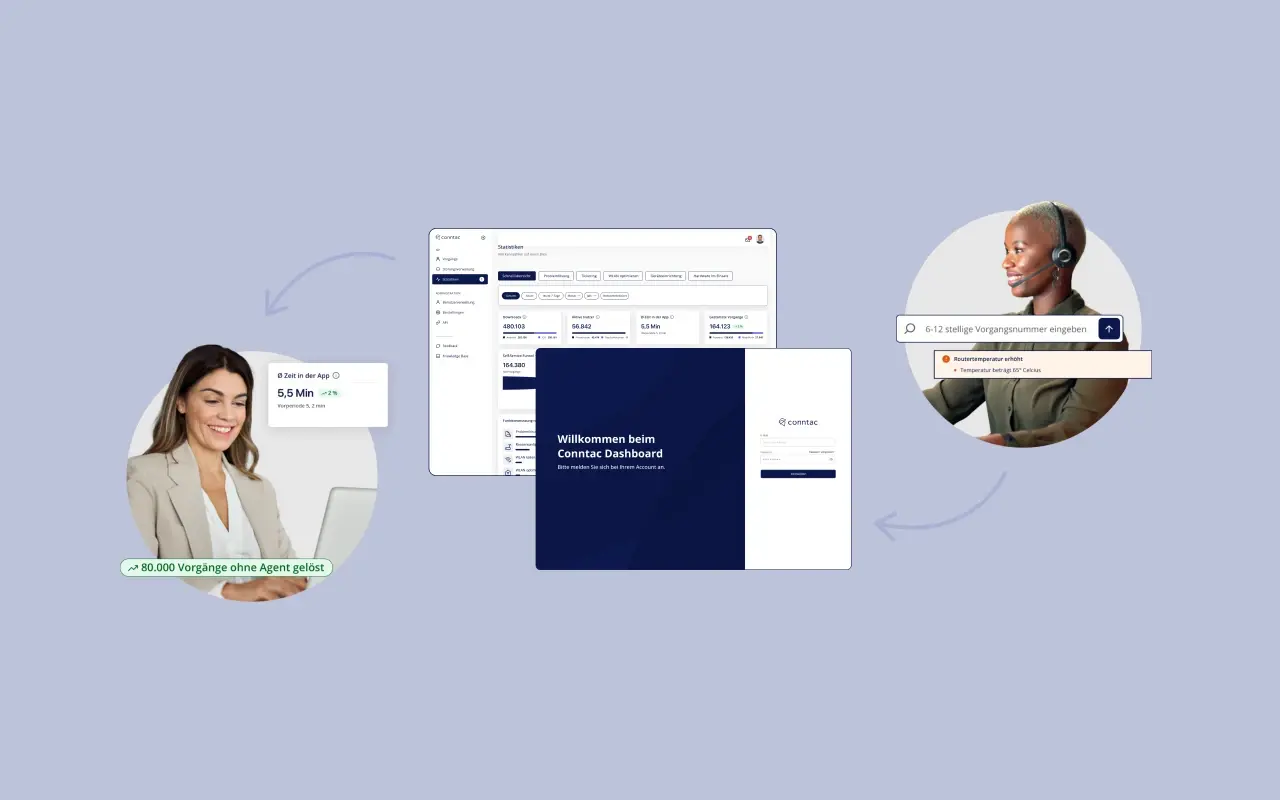
A ticket number or similar identifier keeps information consistent across all involved systems. In addition, field mapping, updates, and access rights must be defined. It is crucial that employees see the relevant information in their workspace and that customers do not have to bridge organizational gaps. The ticketing function shows a potential handover point for unresolved technical issues. For an operational overview, a technical service dashboard can consolidate the history and relevant information for further processing.
What can the handover look like for a Wi-Fi issue?
A concrete Wi-Fi case demonstrates which information from self-service becomes relevant for personal support.
Initial situation
A customer reports that video conferences in their home office are frequently dropping. Other devices near the router are working without any issues.
Self-service check
The digital process checks the connection status, identifies the device being used, and performs a Wi-Fi measurement at two locations. The internet connection is reachable. The measurement shows a significantly weaker Wi-Fi connection in the study. The customer changes the router location, but the issue persists.
Handover
Support receives:
- a description of the symptoms and the affected room
- router model and connection type
- the time and results of both Wi-Fi measurements
- a note that other devices near the router are working
- the router location that has already been tested
- the reason for the handover
Follow-up
The agent does not need to ask about the connection or initial standard troubleshooting steps again. They can immediately check whether further optimization steps, a different hardware configuration, or personalized advice would be useful. This example also illustrates the limits of automation. Self-service does not necessarily have to resolve the case completely to improve the support process. Reliable troubleshooting and clear documentation can significantly structure the personal interaction from the start.
How can the quality of the handover be measured?
Handover quality can be measured by whether the personal support team can continue working on the case with fewer follow-up questions and repetitions. To do this, outcome, process, and effort metrics should be considered together.
A decrease in handling time is only positive if the quality of the solution and repeat contacts remain stable or improve. The Customer Effort Score complements the operational perspective with the customer's perception. The First Contact Resolution shows how often a transferred case is resolved during the first personal contact.
Checklist: How to create a seamless service process?
Internet providers can test the handover process using a common technical issue. A process such as router setup, slow Wi-Fi, or loss of connection provides a manageable starting point.
Process and Responsibility
- Are the boundaries of self-service clearly defined?
- Is there a responsible channel or team for every exit point?
- Is it clear which cases are handled synchronously and which asynchronously?
- Can further support levels access the same history?
Information and Data
- Are the required mandatory fields defined for each request?
- Are symptoms, test results, and completed steps transferred together?
- Is the reason for the handover clearly documented?
- Can data be clearly assigned to a customer account and case?
- Are purpose, retention, and access rights clarified?
User guidance
- Do customers understand why a handover is necessary?
- Is it clear which information is being passed on?
- Are the contact method, case number, and next steps displayed?
- Can customers track the status of their request?
Quality assurance
- Are context completeness and misrouting being evaluated?
- Can repeat questions and repeat contacts be identified?
- Is the processing time after the handover tracked separately?
- Are insights from support staff fed back into the self-service process?
The last point is particularly important. If certain reasons for handover occur frequently, it may indicate a lack of digital verification steps, clear explanations, or appropriate exit points. Personal handling thus provides concrete insights for the further development of self-service.
Frequently asked questions about connecting self-service and customer service
Must every self-service process offer a handover?
A handover is necessary when a request requires personal assistance, an individual decision, or access to additional systems. The appropriate contact method may vary depending on urgency and complexity. It is crucial that customers do not reach a dead end when a case remains unresolved.
What information should be transferred at a minimum during a support handover?
At a minimum, the specific request, relevant verification results, steps already taken, the reason for the handover, and a unique case reference are required. Depending on the process, contract, device, or measurement data may also be included.
Is a ticketing system enough for a smooth handover?
A ticketing system manages responsibilities, status, and processing. However, the quality of the ticket depends on the information provided. Without technical pre-qualification and a clear process history, employees have to collect the context all over again.
How can you prevent customers from having to repeat their information?
Answers, measurements, and completed steps must be transferred in a structured way to personal support and displayed clearly. Additionally, a case ID should ensure that all information remains linked to the same issue.
Which technical issues are suitable for a structured handover?
Recurring issues with clear verification steps are ideal, such as router setup, connection problems, Wi-Fi optimization, speed test analysis, device connectivity, and fault reporting. Even a process that hasn't been fully resolved can provide valuable pre-qualification.
How can the benefits of pre-qualification be measured?
Relevant KPIs include context completeness, handling time after handover, repeat contact rate, misrouting, first contact resolution, and follow-up contacts. Comparisons should be broken down by issue type and handover method to highlight the differences between simple and complex cases.
What is the difference between multichannel and an end-to-end service process?
Multichannel provides multiple contact channels. An end-to-end process goes further by connecting context, status, and responsibility across those channels. This allows customers to switch channels without having to restart the resolution process from scratch.
Conclusion: A good handover continues the resolution process
Self-service and customer support are effectively connected when an unresolved case is continued with its existing context. For internet service providers, this means exit points must be clearly defined, information must be transferred in a structured way, and responsibilities must be unambiguous. Personal support needs a clear summary rather than an unfiltered flood of data. The core should consist of the symptom, relevant test results, completed steps, and the reason for the handover. CRM, ticketing systems, and technical data sources each contribute to this. Such a handover reduces repetition, simplifies processing, and creates a consistent resolution path for customers. At the same time, the handover data reveals where self-service can be further improved.
How MyProvider supports end-to-end service processes
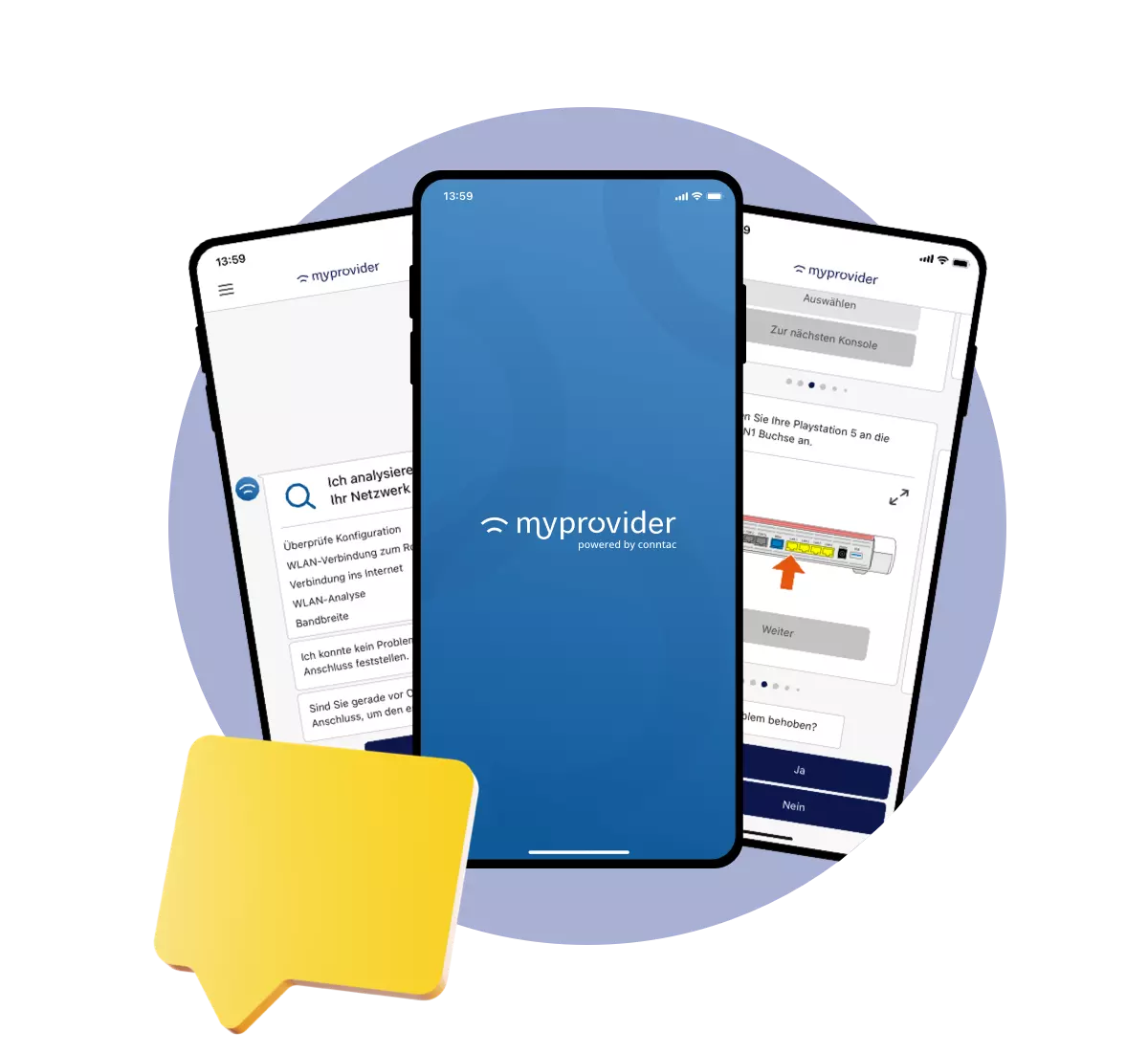
MyProvider combines guided troubleshooting with the structured preparation of personal support cases. Automatic checks, technical information, and previously completed steps can be made available for further processing. Unresolved issues are routed to customer service via defined contact and ticketing processes. The MyProvider dashboard provides a clear overview for subsequent processing and analysis.
Connecting self-service and support effectively
See for yourself in a personal demo how to integrate technical self-service processes with your customer support and existing systems.
Book your personal demo now